The Problem
At commercetools, 50+ hours of educational content serves thousands of developers. It also feeds our RAG-based AI assistant — the assistant answers questions by pulling from this content, so when the content is wrong, the assistant is wrong. With 250+ API releases a year (5+ a week), keeping all that content up to date by hand was not sustainable.
The crisis: By January 2026, 1,200+ release notes had piled up since January 2024. That was a 2-year backlog. Clearing it meant manually checking every one of those releases against every learning module. And the docs going out of date stayed invisible until a developer reported wrong or outdated information. By then it had already hurt the AI assistant’s accuracy and the developers’ trust.
The bottleneck: Content teams had no spare capacity to review this systematically. Even with people dedicated to it, checking 250+ releases a year against 50+ hours of learning content meant knowing every module and every API area cold. So the backlog just grew, with no process to chip away at it.
The Solution
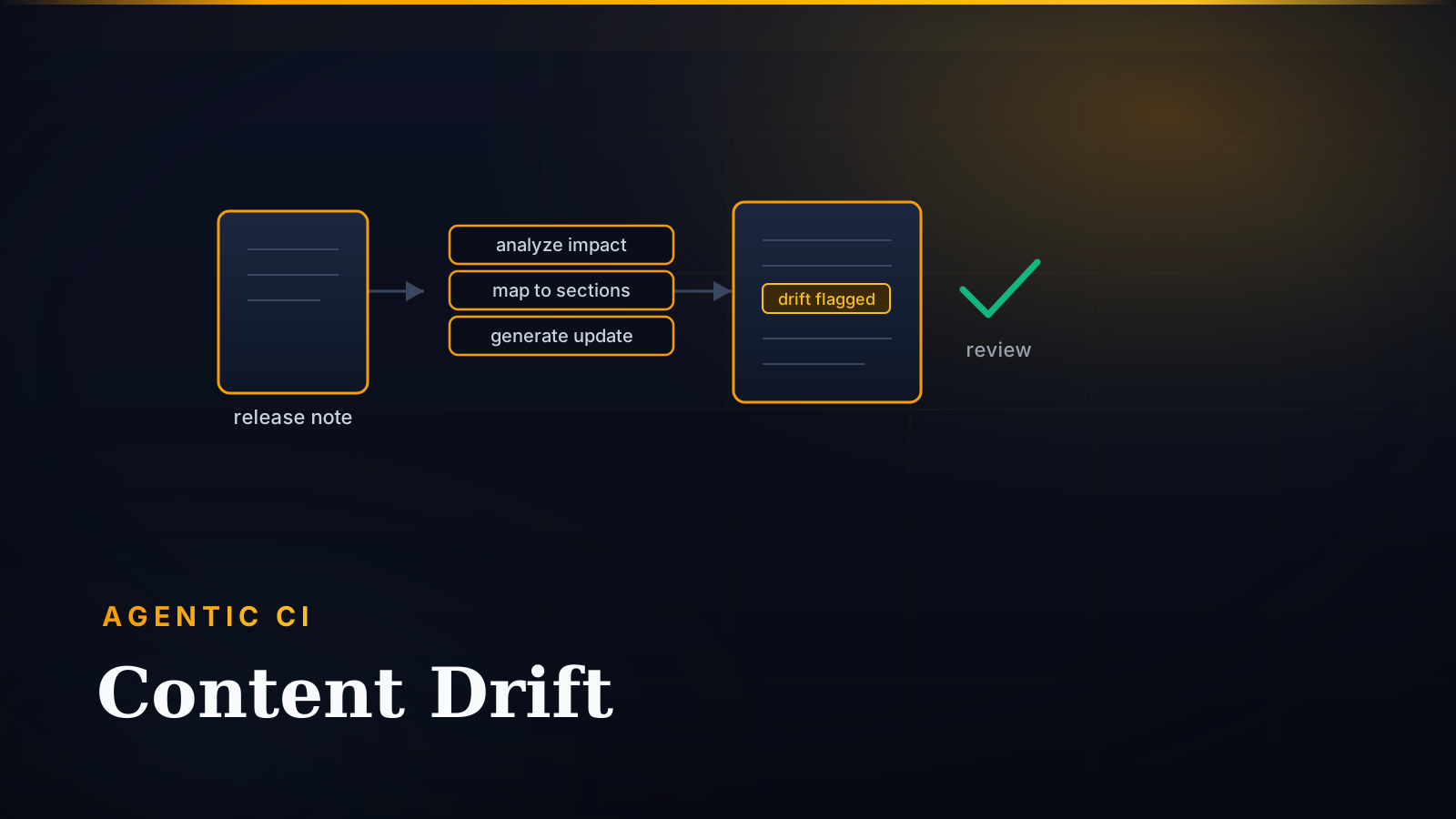
In January 2026, I built a three-agent workflow using GitHub Copilot Skills. It drops straight into the tools the content team already uses (VS Code and GitHub). No new tools to learn, no switching back and forth.
Architecture Rationale
- Native integration: runs inside the developer tools and workflows the team already uses
- Human-in-the-loop: the AI helps make the call; it doesn’t make the call for you
- Existing infrastructure: uses GitHub Copilot’s built-in language-model abilities, so there’s no custom text-processing pipeline to build and maintain
- Modular stages: breaking the work into separate steps makes it easy to improve one step at a time and recover when something goes wrong
The Three-Agent Workflow
flowchart TD
  subgraph START["📋 START"]
      A["📄 RELEASE NOTE<br/>250+ published annually<br/>5+ per week"]
  end

  subgraph AGENT1["🔍 AGENT 1: RELEASE-ANALYZER"]
      B["📝 Read the release, find what it touches<br/><br/><b>In:</b> Release note MDX<br/><b>Out:</b> analysis.json<br/><br/>• Pull out the API changes<br/>• Work out which modules are affected<br/>• Rate how serious each change is<br/>• Estimate the work involved<br/><br/>📊 1 release → 0-4 modules"]
      C1{{"👤 Human checkpoint<br/>Review affected modules"}}
  end

  subgraph AGENT2["🗺️ AGENT 2: CONTENT-MAPPER"]
      D["🎯 Point to exactly what to change<br/><br/><b>In:</b> analysis.json + content<br/><b>Out:</b> recommendations.json<br/><br/>• Find the sections that need updating<br/>• Give the file paths and line numbers<br/>• Describe each change to make<br/>• Order them by impact<br/><br/>📊 4 modules → 8-15 file edits"]
      C2{{"👤 Human checkpoint<br/>Review recommendations"}}
  end

  subgraph AGENT3["✨ AGENT 3: CHANGE-GENERATOR"]
      E["✍️ Write the actual updates<br/><br/><b>In:</b> recommendations.json<br/><b>Out:</b> content-updates.md<br/><br/>• Write the new MDX content<br/>• Keep the same voice and style<br/>• Keep the structure intact<br/>• Hand back git-ready diffs<br/><br/>📊 15 edits → Ready to merge"]
      C3{{"👤 Human checkpoint<br/>Approve changes"}}
  end

  subgraph COMPLETE["✅ COMPLETE"]
      F["🚀 Merge to main"]
  end

  %% Main flow
  A --> B
  B --> C1
  C1 --> D
  D --> C2
  C2 --> E
  E --> C3
  C3 --> F

  %% Dark theme styling matching site aesthetic
  classDef startStyle fill:#2d1b0e,stroke:#f59e0b,stroke-width:3px,color:#f9fafb,font-weight:bold;
  classDef agent1Style fill:#1a2234,stroke:#fbbf24,stroke-width:3px,color:#f9fafb,font-weight:bold;
  classDef agent2Style fill:#1e1b4b,stroke:#a78bfa,stroke-width:3px,color:#f9fafb,font-weight:bold;
  classDef agent3Style fill:#0f1419,stroke:#fb923c,stroke-width:3px,color:#f9fafb,font-weight:bold;
  classDef checkpointStyle fill:#1f2937,stroke:#f59e0b,stroke-width:2px,color:#fbbf24,font-weight:bold;
  classDef completeStyle fill:#064e3b,stroke:#10b981,stroke-width:4px,color:#f9fafb,font-weight:bold;

  class A startStyle
  class B agent1Style
  class D agent2Style
  class E agent3Style
  class C1,C2,C3 checkpointStyle
  class F completeStyle

  %% Link styling
  linkStyle 0,1 stroke:#fbbf24,stroke-width:3px;
  linkStyle 2,3 stroke:#a78bfa,stroke-width:3px;
  linkStyle 4,5 stroke:#fb923c,stroke-width:3px;
  linkStyle 6 stroke:#10b981,stroke-width:3px;
How Agent 1 Detects & Prioritizes Impact
Agent 1 (Release Analyzer) works out which modules a release affects, and how much it matters, by rating each change and matching it to topics:
- Breaking changes count for
2×priority — things that break existing code (deprecated APIs, removed features, changed behavior) - New features count for
2×priority (GA announcements, new endpoints) - Enhancements and fixes count for normal priority
Each release note comes with topic tags. The analyzer matches those tags against the topics each learning module covers. It ranks the candidate matches for each learning path and surfaces only the top 20% for review. That keeps the noise down.
The Outcome
Impact
| Metric | Value |
|---|---|
| System size | +3,688 LOC / 46 files |
| Validated on | 2 real release notes (5 updates) |
| Applied to | Dev Essentials path |
| Deployment | Human-in-the-loop (review → apply) |
Transformation
From impossible to systematic: Before this system, content review just didn’t happen. Teams had no capacity to check releases against learning content. Now they get detailed reports — with severity scores and effort estimates — that make a regular, planned review possible.
From reactive to proactive: Content updates used to be driven by a crisis (“users reported wrong info”). Now they’re driven by the release itself (“here’s what changed and which modules it affects”). Planned sprint work replaced ad-hoc firefighting.
From invisible drift to visible impact: The docs going out of date used to stay hidden until a developer reported a problem. Now it shows up right away, with the file paths, the line numbers, and the suggested changes ready for review.
Technical Design Decisions
1. Topic Matching Over Vector Embeddings
Chose: A fixed JSON topic map, with weighting for severity
Rejected: Vector similarity search using embeddings — matching by mathematical “closeness in meaning”
Rationale: When a human reviews the output, you need to see why the system matched something — that’s what lets you improve it. The topic map runs in <2 seconds, costs nothing, can be edited by hand, and lets non-engineers read and refine the matching rules themselves. Embeddings might have been more accurate (80-85% vs. 60-70%), but they took 2-3 hours to run and worked as a black box you can’t easily inspect or improve together.
Key insight: When every result has to be reviewed anyway, being able to see why it matched, and to fix it fast, beats a small bump in accuracy.
2. Filesystem as State Management
Each step in the workflow saves its output as a JSON or Markdown file under version control. That gives you:
- The ability to pick up again from any checkpoint
- A full record of every recommendation
- Team collaboration through Git
- No database to set up or run
3. Building on Copilot Skills
Rather than build custom LLM automation from scratch, the system leans on what GitHub Copilot Skills already does well: understanding meaning in text, writing MDX, and keeping a consistent voice. So there are no prompts, rate limits, or model versions for me to manage.
Validation Strategy
Pilot-first deployment: I started with 2 learning paths that stood for the rest — one focused on the API (Composable Commerce) and one focused on integration (Connect) — to cover different content types and different kinds of change. I ran the analysis over 3 months of releases (60+ notes) to check the detection worked and to see how good the recommendations were.
Validation results: The pilot turned up 40+ genuine content updates that manual review had missed, which proved the system was catching real drift. The team reviewed every recommendation and tightened the topic mappings wherever the system matched something it shouldn’t have. That moved precision from 55% at the start to 65% before the full rollout.
Incremental expansion: Because the design is modular, we could roll it out one path at a time without making a mess. After the pilot proved out, we expanded to all 8 learning paths in production.
Tunable thresholds: The key dials (the percentile cutoffs, date ranges, and severity multipliers) live in config, not in code. So the team can adjust them and re-run the analysis in <2 seconds, with no code changes.
Key Insights
1. Augment, Don’t Replace: Find the human decisions you can’t remove, then build around them. The system shrinks the reviewer’s job from “read every release against every module” down to “approve or reject a small set of pre-drafted updates.” That cuts how many decisions they have to make, without taking away the judgment that matters where context counts.
2. Separate Detection from Updating: They need to be tuned for different things. Detection needs speed and scale — catch as much as possible, and a few false alarms are fine. Updating needs accuracy and care — no room for errors. One system can’t be great at both, so I split them.
3. Explainability Enables Iteration: In a production system with lots of different stakeholders, pick approaches they can look inside and adjust. I chose the topic map (60-70% precision) over embeddings (80-85% precision) because stakeholders could improve the matching rules together, without needing to be engineers.
4. Audit Infrastructure First: Map what already exists, and where its limits are, before you build anything. Building on GitHub Copilot Skills instead of writing custom LLM pipelines saved ~2 weeks.
Future Evolution
Next priorities:
- CI/CD Integration: run the analysis automatically whenever a release note is committed (via GitHub Actions), and post the results as PR comments and Slack notifications
- Interactive Dashboard: show, at a glance, how “fresh” each module is, how much drift has built up, and where each item is in the workflow
- Semantic Topic Expansion: use embeddings to spot related terms and suggest new entries for the topic map
- Historical Validation: build a labeled dataset so precision and recall can be measured properly and the matching can be tuned against real numbers
Production system maintaining learning content accuracy for thousands of developers at 5+ API releases per week.