The challenge
The grading workload challenge
University educators have too much grading to do. One assignment with detailed feedback takes 30-45 minutes per student. For a class of 90 students, that’s 45-70 hours of marking, usually done over weekends and breaks.
That causes three real problems:
- Feedback comes too late: students get their grades weeks after handing the work in, when the learning value has faded
- Standards drift: as graders get tired, the papers they mark on day one get treated differently from the ones they mark on day five
- Faculty burnout: the same repetitive marking eats time that should go to teaching and research
Why this matters for learning
In education programs, detailed feedback isn’t a nice-to-have. Students hand in reflective portfolios where they analyze their own teaching through theoretical frameworks. To build professional judgment, they need specific, rubric-based guidance — not just a grade and a quick comment.
The usual fixes don’t hold up:
- Teaching assistants cost $50-60/hour and still grade inconsistently
- Peer review doesn’t have the theoretical depth these students need
- Auto-graders work for multiple-choice tests, not deep reflective writing
The design challenge
Build a tool that keeps student data private, grades consistently, holds onto the nuance of rubric-based marking, and writes feedback detailed enough to actually help students learn — all while getting through 90+ papers in hours, not days.
The process
Research & analysis
I interviewed faculty across three education courses and kept hearing the same problems:
Inconsistent grading comes from fatigue, not lack of skill. Experienced educators grade the same paper differently on Monday than on Friday. It’s not that they lack standards. It’s the mental load of grading for hours on end.
Students hand in different file formats. Some courses require PDFs, others accept Word documents. Many papers have complex tables laying out analytical frameworks. Standard text extraction throws that structure away, which makes the papers unreadable.
Privacy worries stop faculty adopting AI. Faculty had serious ethical concerns about sending student work to outside APIs, even when a tool looked promising. This wasn’t fear of technology. It was a fair concern about privacy compliance and student consent.
Design approach
I applied three core learning design principles:
1. Consistency through calibration, not automation
Before human graders mark, they do “moderation” training: they review example papers at each grade band so their judgment lines up. I did the same thing for the AI.
A rubric only tells you what to assess. So on top of the rubric, I wrote detailed moderation notes that tell the AI how to read the borderline cases. Those notes include:
- Descriptions of real example papers at each grade level
- Common mistakes students make, so the AI can spot them
- Guidance specific to the field (for example, early childhood education versus secondary education)
That moderation context runs to 6,500 characters. It trains the AI the same way we’d train a human marker.
2. Privacy-preserving architecture
I built anonymization in two phases:
- Phase 1: pattern-matching rules (regex) find student IDs, emails, and names and swap them for anonymous labels (Student_001, Student_002)
- Phase 2: a secure JSON file maps those labels back to real students. It’s kept out of version control, and it’s what lets you re-identify students after grading
Identifiable student work never reaches the API. The AI grades “Student_023’s reflective portfolio,” not “Sarah Johnson’s assignment.”
3. Cognitive load reduction for educators
The tool doesn’t replace the educator’s judgment. It does the mechanical first pass. Faculty get detailed AI-written feedback to review, edit, and approve, instead of writing it all from scratch. The job changes from “write 90 sets of detailed feedback” to “check and polish 90 drafts.”
Development & iteration
Solving the document format problem
Early testing showed PDFs and Word documents needed completely different handling. So I built two conversion paths:
- PDFs:
pdfplumberreads tables as well as text, keeping rows and columns as pipe-separated text - Word:
mammothconverts to Markdown while keeping table structure intact
The tool detects the file type and sends each paper to the right converter.
Teaching the AI to grade like an expert
The first versions gave accurate but generic feedback. The breakthrough was treating prompt engineering as instructional design — writing the prompt the way you’d design a lesson.
I built the grading prompt in three parts:
- Assignment context: what students were asked to do, and why
- Rubric: the criteria and point values (what to assess)
- Moderation notes: worked examples (how to judge quality)
That’s exactly how universities train new markers: explain the goals, hand over the criteria, then calibrate judgment with examples.
Building quality control workflows
I made the tool save both the graded feedback AND the anonymized papers. That way faculty can check the AI’s decisions against the original student work. They build trust by seeing the evidence, not by taking the AI on faith.
The solution
System architecture
flowchart TD
  subgraph INPUT["📥 INPUT"]
      PAPERS["📄 Student Papers<br/>PDF & DOCX"]
      CONFIG["⚙️ Configuration<br/>Rubric & Moderation Notes"]
  end

  subgraph PROCESS["⚙️ PROCESSING"]
      CONVERT["📑 Convert<br/>Pull Out Text & Tables"]
      ANON["🔒 Anonymize<br/>Strip Names & IDs"]
      GRADE["🤖 Grade with AI<br/>Claude Sonnet 4.5"]
      SAVE["💾 Save Results<br/>Feedback & Logs"]
  end

  subgraph OUTPUT["📤 OUTPUT"]
      FEEDBACK["📝 Graded Papers<br/>Detailed Feedback"]
      MAPPING["🔐 Student Mapping<br/>Secure Name Lookup"]
  end

  subgraph REIDENT["🔄 RE-IDENTIFICATION"]
      TOOLS["🛠️ Lookup Tools<br/>Export Grades"]
  end

  %% Main flow
  INPUT --> CONVERT
  CONVERT --> ANON
  ANON --> GRADE
  GRADE --> SAVE
  SAVE --> FEEDBACK
  SAVE --> MAPPING
  FEEDBACK --> TOOLS
  MAPPING --> TOOLS

  %% Dark theme styling
  classDef inputStyle fill:#2d1b0e,stroke:#f59e0b,stroke-width:3px,color:#f9fafb,font-weight:bold;
  classDef processStyle fill:#1a2234,stroke:#fbbf24,stroke-width:3px,color:#f9fafb,font-weight:bold;
  classDef outputStyle fill:#1e1b4b,stroke:#a78bfa,stroke-width:3px,color:#f9fafb,font-weight:bold;
  classDef reidentStyle fill:#0f1419,stroke:#fb923c,stroke-width:3px,color:#f9fafb,font-weight:bold;

  class PAPERS,CONFIG inputStyle
  class CONVERT,ANON,GRADE,SAVE processStyle
  class FEEDBACK,MAPPING outputStyle
  class TOOLS reidentStyle

  %% Link styling
  linkStyle 0,1,2,3 stroke:#fbbf24,stroke-width:3px;
  linkStyle 4,5 stroke:#a78bfa,stroke-width:3px;
  linkStyle 6,7 stroke:#fb923c,stroke-width:3px;
What educators experience
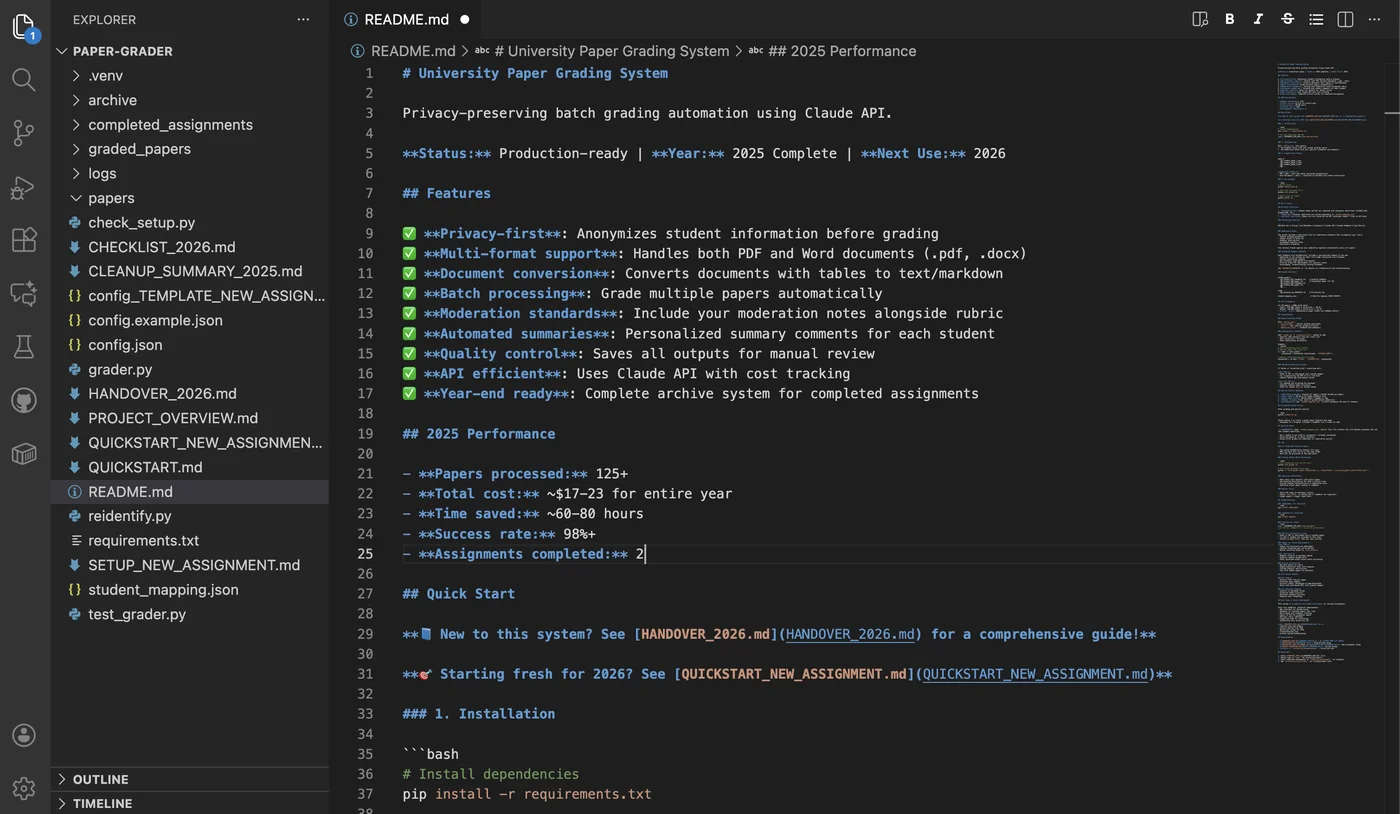
Faculty fill in one JSON file with their rubric, moderation notes, and assignment description. They run a quick setup check to confirm the dependencies and API credentials are in place, then test on a single paper to make sure the output looks right.
Once the test looks good, they drop 90 student papers (a mix of PDF and Word) into a folder and run the grading command. The tool shows progress as it goes: “Processing student_paper_1.pdf… Extracting text… Anonymizing… Grading as Student_001… SUCCESS.”
In 60-90 minutes, they have 90 detailed feedback files to review. Each one has:
- A point-by-point look at every criterion (strengths, areas to develop, specific suggestions)
- Reasons for the grade, tied to university standards (HD/D/C/P)
- A personal summary that addresses the student by first name
Faculty check the feedback against the papers, make any edits they want, then export the grades to their university gradebook.
Results & impact
Measurable outcomes
- 125+ papers graded across two assignment cohorts
- 60-80 hours of faculty time saved per grading cycle
- 98%+ technical success rate with document conversion and grading pipeline
- $17-23 total cost for entire academic year (~$0.14-0.18 per paper)
Quality validation
The moderation notes let the AI:
- Catch and mark down serious conceptual errors (for example, a wrong definition of “lazy multiculturalism”)
- Spot excellent work with sharp critique and specific scholarly citations
- Stay as consistent as an experienced human marker
A second AI check on the first one. I ran a separate QA prompt that compared each piece of feedback back against the original paper and gave it a reliability score. This second pass caught the cases where the feedback didn’t match what the paper actually said, so those could be reviewed before anything went out.
What a faculty reviewer said: “Caught the exact error I specifically flagged in moderation notes. Feedback more detailed than I would have written manually.”
Student impact
In course evaluations, several students said the feedback was “more specific than previous assignments” and “helped me understand exactly what the rubric meant.” So the value isn’t just speed. The AI can give the kind of detailed feedback that’s almost impossible to deliver at scale by hand.
Key takeaways
Privacy-preserving design is what built the trust. At first, faculty worried about “sending student work to AI companies.” Anonymizing the data, plus clear documentation of how the data is handled, turned that worry into confidence. In EdTech, AI adoption rides not just on what the tool can do, but on privacy safeguards people can see and check.
AI scales the educator’s expertise, it doesn’t replace it. The tool doesn’t automate judgment. It lets one instructor apply the same standards across a class too big to give every paper full attention. The moderation notes pull the expert’s mental model out of their head and write it down.
Different file formats are a real constraint. I planned for PDFs only, but students submit Word documents too, so I had to support both. Fitting how people already work, instead of forcing them to change, made the tool far more usable.
Quality control has to be built in from the start. Saving the anonymized papers next to the feedback is what makes spot-checking possible. Timestamp logging tracks performance, and clear file names make manual review fast. None of this was bolted on later. It was central to earning faculty trust.
Writing the grading prompt is instructional design. To write it, I had to define what good work looks like (the learning objectives), how to give constructive feedback (the teaching), and how to read the edges of the rubric (the assessment criteria). Building a good AI grading tool takes instructional design skill, not just technical skill.
Future enhancements
Build the web interface first. More faculty would use it with drag-and-drop upload than with a command line. It would also let several markers review together, each spot-checking different papers.
Bring students into the design earlier. I built this entirely from the faculty point of view. Asking students what they want from feedback would have helped — for example, do they want strengths and weaknesses kept separate? Do they want specific page references?
Set formal success metrics up front. I informally tracked “does the grade match what I would give?” But proper inter-rater reliability testing — comparing AI grades to human grades on a calibration set — would give a real number to point to.
The rollout matters as much as the code. The code works well, but getting faculty to adopt it takes trust-building, training, and a clear demonstration of the quality checks. If I launched this at other institutions, I’d put 40% of the effort into the technical build and 60% into a rollout that respects how people teach.